Starting in September, I began eating at Stanford’s dining halls.
To eat there, you first need to check the menu. But Stanford’s official menu website is stuck twenty years in the past. You can only look at one hall’s meal at a time. If you want to compare different halls, you have to click through three dropdowns all over again. By the time you’re looking at the second hall, you’ve already forgotten what the first one had, and you have to go back and reselect.
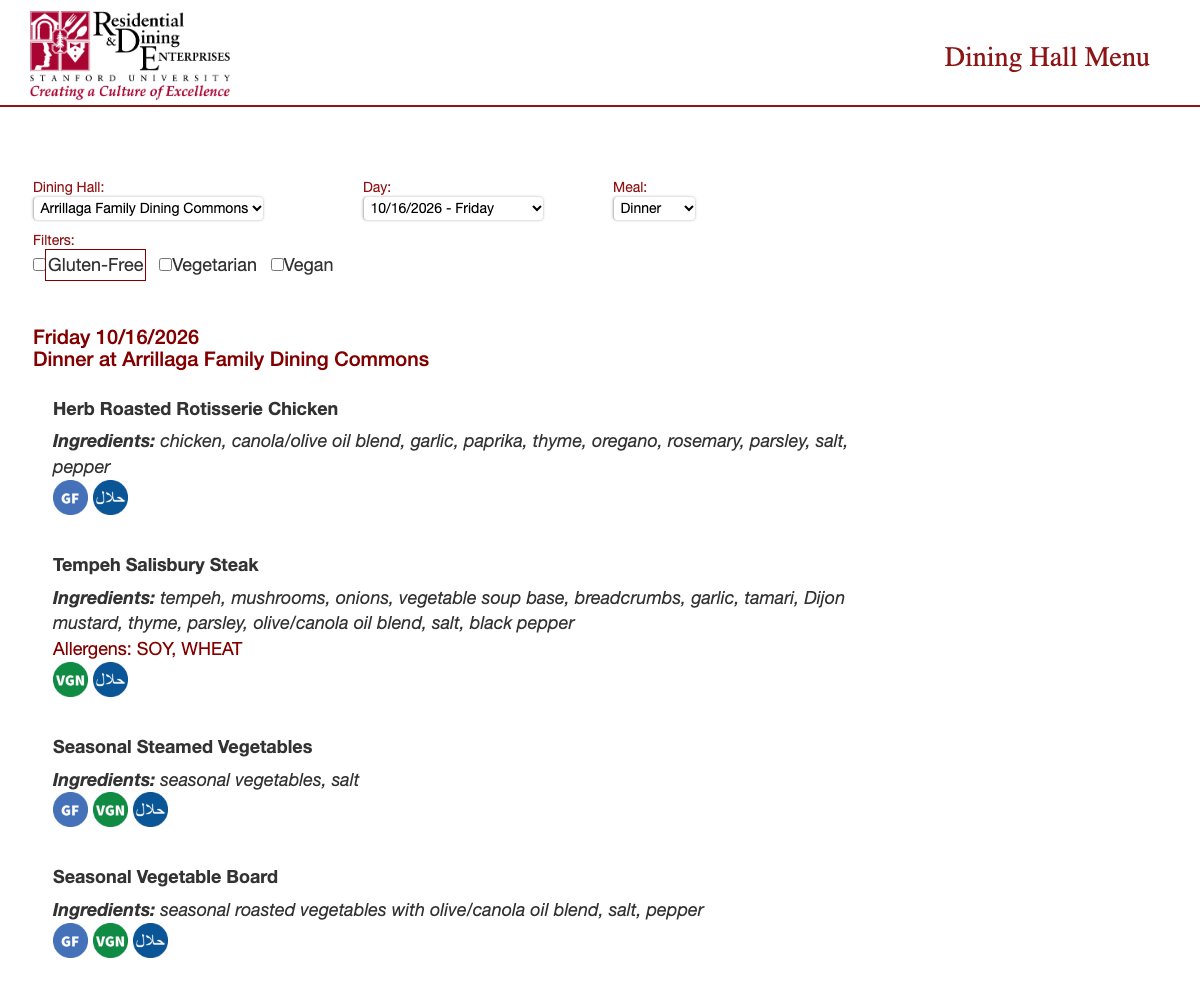 This is Stanford’s official menu site, rdeapps.stanford.edu/dininghallmenu. Three dropdowns later, you get one dinner at one hall. This hall alone has twenty-some dishes, and you keep scrolling. Want the next hall? Three dropdowns again.
Checking a menu shouldn’t be this painful. My first thought was to write a quick script to scrape the daily menus and lay them out side by side on a single page, so I could see what’s being served tonight at a glance before deciding where to go.
The first version came together quickly: menus for multiple halls side by side, all visible on one screen. I already owned the neilmin.com domain, so I hooked up a subdomain without spending anything extra, and my friends could use it too. That’s how stanford-dining.neilmin.com was born.
As I went, I added two things: Chinese translations and dish pictures. The dining hall dish names can be baffling—“Craveable Grains”? “Magnolia Boil”? What is that supposed to be? So I had AI generate a picture for each dish based on its name and ingredients. One look tells you whether it’s stewed or stir-fried, and whether it’s a solid cut of meat or sliced.
Letting the site run itself
The first version had an obvious flaw: daily manual upkeep. I had to scrape new menus locally, generate pictures for new dishes locally, push to GitHub, and wait for deployment.
A site that claims to update automatically, but relies on me manually running scripts every day behind the scenes, clearly isn’t sustainable. I could keep it up for a week, maybe muscle through a month, but eventually I’d drop the ball. It had to be fully automated.
Scraping the menus was a bit of a hassle. Stanford’s site runs on legacy ASP.NET. You can’t just craft a URL to fetch “Wilbur Friday dinner”—every request has to carry a long string of hidden state parameters from the previous page, and that string changes every time, so requests can only be sent sequentially. Annoying, but purely an engineering problem. Once solved, I plugged it into GitHub Actions to run on a daily schedule.
What really gave me a headache was generating the pictures.
Pictures need compute, and I didn’t want to pay
Generating images is compute-heavy. On my laptop, a local model (RealVisXL, an SDXL-based photorealistic model) takes about a minute and a half per image, and the quality is great. But to automate it, the job had to move to the cloud, and cloud compute costs money.
Why not just rent a cloud GPU? I never even considered paying, not even $5 a month. This was just a side project, and the whole point was to make it run on its own without spending a single cent.
So free it had to be.
Searching the web for pictures didn’t work. The dish names are mostly invented by the dining halls, so image search results rarely match, copyright is murky, and the quality is inconsistent. Later, I found Cloudflare Workers AI. It offers a free daily tier with hosted image generation models that run in the cloud without needing my laptop on.
We tested three models on Cloudflare: SDXL-Lightning, FLUX.1 schnell, and FLUX.2 klein. Here’s how they turned out. On the left are Cloudflare’s models; on the right is my local RealVisXL.
In the next two pairs, the left is SDXL-Lightning:
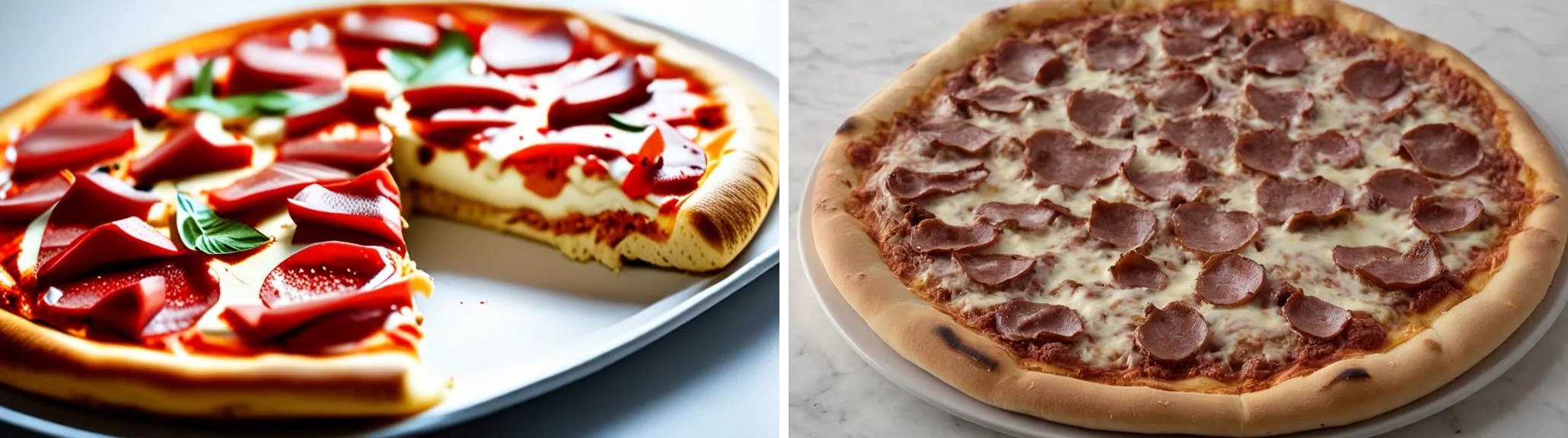 Meat Lover’s Pizza
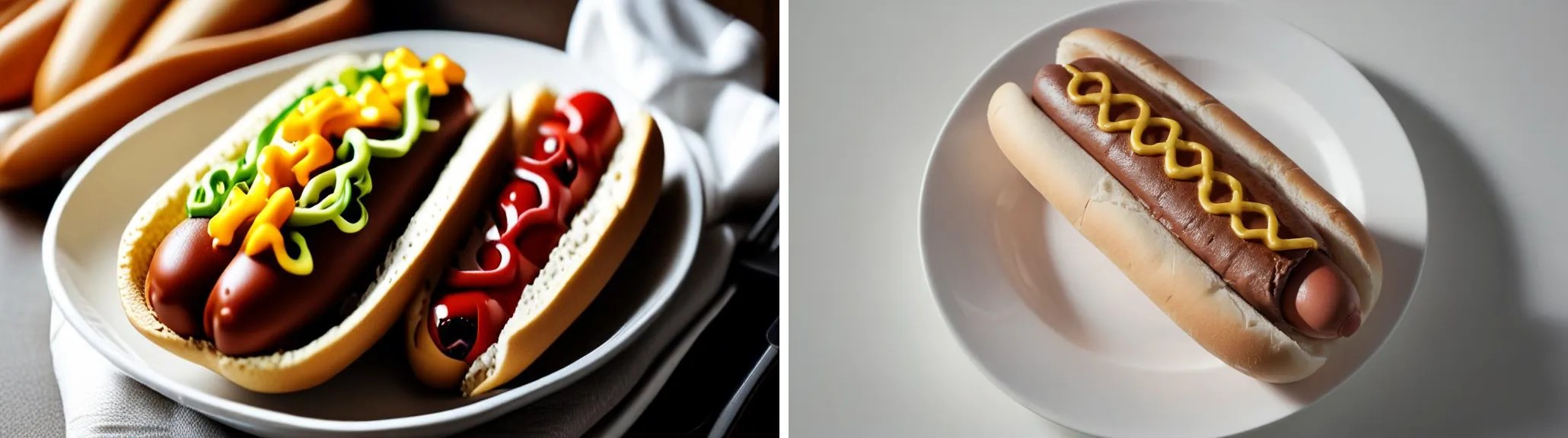 Beef Hot Dog
In the next two pairs, the left is FLUX.1 schnell:
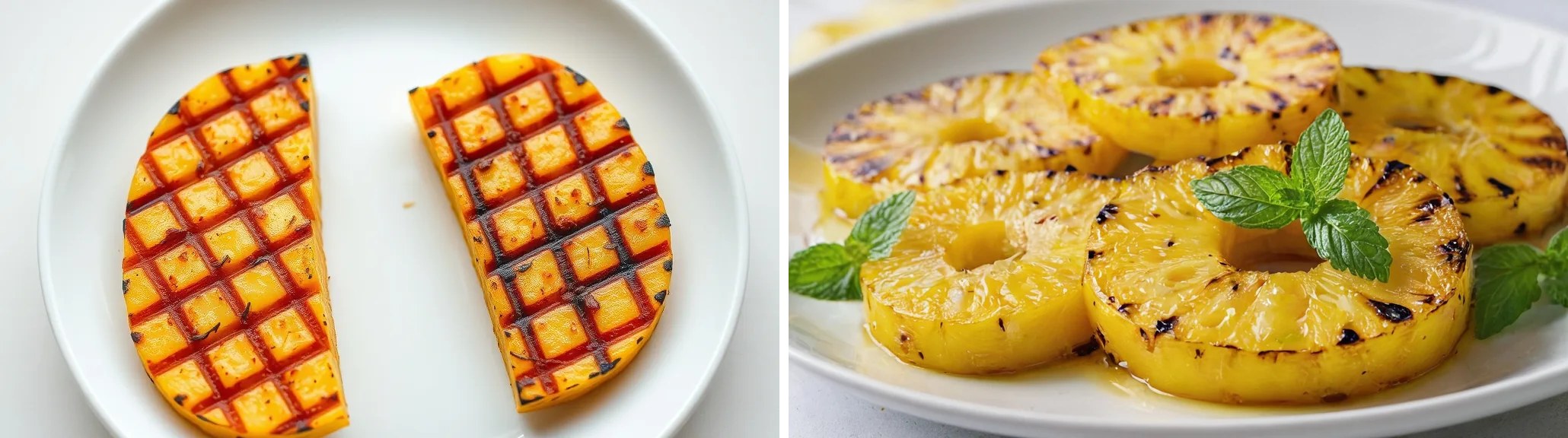 Grilled Pineapple
 Corn Dogs
These generated images either suffered from heavy smearing or exhibited typical AI generation flaws, resulting in weird, nonsensical details. In short, they were unusable. FLUX.2 klein didn’t fare much better.
To filter out low-quality outputs, I added a verification step: after generation, a vision model would inspect the image and request a redraw if it looked off. A good idea in theory, but the free tier was already limited. Dishes often required multiple retries, deducting quota for both generation and inspection. Before long, the quota was completely drained, bringing the entire verification process to a halt.
After a few rounds of frustration, it finally clicked: the model on my laptop still produced the best results. The model didn’t need to change—I just needed a free environment to run it.
GitHub Actions can be compute too
That’s when I thought of GitHub Actions.
Most people use Actions to run tests or build and deploy code on git push. But at its core, it’s simple: GitHub lends you a Linux virtual machine, runs your defined steps, and tears it down when done. Running tests is just a set of commands—isn’t image generation the same?
Plus, Actions is completely free for public repositories, with no minute limits. According to GitHub’s documentation, the free runner specs are:
| Free machine for public repositories | |
|---|---|
| CPU | 4 cores |
| Memory | 16 GB |
| Disk | 14 GB SSD |
| GPU | None |
| Longest single job | 6 hours |
| Running at once | 20 jobs (free account) |
No GPU. Running SDXL purely on CPU takes 17 to 19 minutes per image, more than ten times slower than my laptop. Honestly, I had considered this at the very start, but ruled it out immediately after seeing the speed.
Then one day it hit me: I had only calculated how long one image took on a single machine, not how many machines I could run in parallel.
If one machine takes 18 minutes per picture, I could just spin up ten machines at once. Running for four hours each, ten machines could theoretically produce over a hundred pictures overnight. Meanwhile, the dining halls only introduce ten to twenty new dishes a day. That throughput is more than enough.
I had always viewed Actions as a CI/CD tool, and never imagined using it as a distributed compute cluster.
Moving image generation onto Actions
The concept was straightforward, but getting it running smoothly on Actions came with several hurdles.
First was disk space. The RealVisXL model file is nearly 7 GB, while the runner disk is only 14 GB, with a chunk already taken up by GitHub’s preinstalled software. .NET, Android SDK, and Haskell were useless to me, so the very first step was scripting their removal to make room for the model. Then I installed the CPU builds of PyTorch and ComfyUI. ComfyUI is pinned to the exact version running on my laptop to ensure identical outputs. Downloading the model from Hugging Face every run was too slow, so I stored it in GitHub Actions cache. Since the workflow runs nightly, the cache stays warm.
Second was memory pressure. Loading the model consumes 15.3 GB out of the 16 GB available, dancing right on the brink of an out-of-memory crash. With zero headroom, each machine had to process strictly sequentially, one image at a time.
Third was speed optimization. Since it was slow, I looked for ways to cut corners without sacrificing quality. Comparing outputs side by side, dropping the inference steps from 20 to 12 showed virtually no discernible difference to the naked eye, while slashing CPU time by two-fifths. Resolution, however, couldn’t be compromised: 1024×576 looked noticeably softer than 1344×768, so I stuck with 1344×768.
Then came output quality. While RealVisXL is generally reliable, it still occasionally misses the mark. So I added an AI review layer: after each generation, a multimodal model answers a few yes-or-no questions (e.g., “Is this actually a batter-coated sausage?”). If it fails, it gets redrawn. Dishes that consistently fail are left blank and retried the following night.
Finally, workload distribution. The entire pipeline runs in three stages:
Menu scrape finishes
    │
    ▼
plan: count the new dishes, work out how many machines to start
    │
    ├──► Machine 1: draw 2 dishes, AI review
    ├──► Machine 2: draw 2 dishes, AI review
    │    ...
    └──► Machine 10: draw 2 dishes, AI review
    │
    ▼
collect: gather every machine's pictures, merge, commit
    │
    ▼
Site rebuilds and deploys
The parallel generation stage leverages GitHub Actions’ matrix feature. Originally designed to run tests across multiple Python versions, I repurposed it as a task dispatcher: the plan step calculates the required number of machines, and the matrix spins up that many parallel jobs, each claiming a share of the dishes.
Load balancing is crucial here. Individual jobs are capped at 6 hours; if a job times out, GitHub forcefully terminates the runner, discarding any uncommitted images. To stay safe, each machine is assigned only two dishes and stops taking on new work after 4 hours, ensuring all generated images finish and commit well within the window.
With that, the automated pipeline was fully operational. After monitoring it for a week, the system seamlessly scrapes the menu, counts new dishes, provisions runners, generates, reviews, and deploys without any manual intervention.
A few Actions gotchas
A few small gotchas worth noting:
- Scheduled cron triggers are frequently delayed. Workflows often start hours late, especially at the top and bottom of the hour. Staggering the schedule helps.
- Commits pushed by Actions workflows won’t trigger
on: push. This is an intentional GitHub mechanism to prevent recursive loops. To trigger an automatic deployment after scraping, invoke the deploy workflow directly. - Triggered workflows may pull stale code. By default, they checkout the commit from the moment they were triggered, missing commits just pushed by the preceding workflow. Explicitly specify
ref: mainto fix this.
Is this allowed?
Someone might wonder: is this abusing Actions as a free cloud server?
GitHub’s Terms of Service clearly state that Actions cannot be used for cryptomining, as a CDN, or as a general-purpose serverless backend, nor for tasks unrelated to the repository. Our use case falls squarely within reasonable boundaries: all generated images are core static assets of this website, committed to this repository, and deployed alongside it as part of the build and publish pipeline.
The cost of spending nothing
Zero monetary cost comes with two tradeoffs:
First, high latency. Generating a single image takes over ten minutes, so a new dish may take several hours to get an image after appearing on the menu. However, dining halls publish menus a week in advance, so by the time a dish actually hits the counter, its image is long ready. Across 409 new dishes introduced since October, 406 had images on or before the day they were first served.
Second, limited concurrency. The runner count, run time limits, and daily quotas are hard caps. Batch-regenerating a thousand dishes in one go isn’t feasible. Whenever a massive influx of new dishes arrives—like during the first week of the quarter—I run them locally on my laptop at 90 seconds per image and clear the backlog in an afternoon.
For a dining menu site, neither limitation is a dealbreaker.
A month in, over 500 people have used it
A month after launch, the site has had over 500 visitors, with around 50 to 60 daily active users.
Over the past week, roughly 70% of daily visitors were returning users, showing that it has genuinely become part of their daily routine for checking menus. I’m really glad to see that.
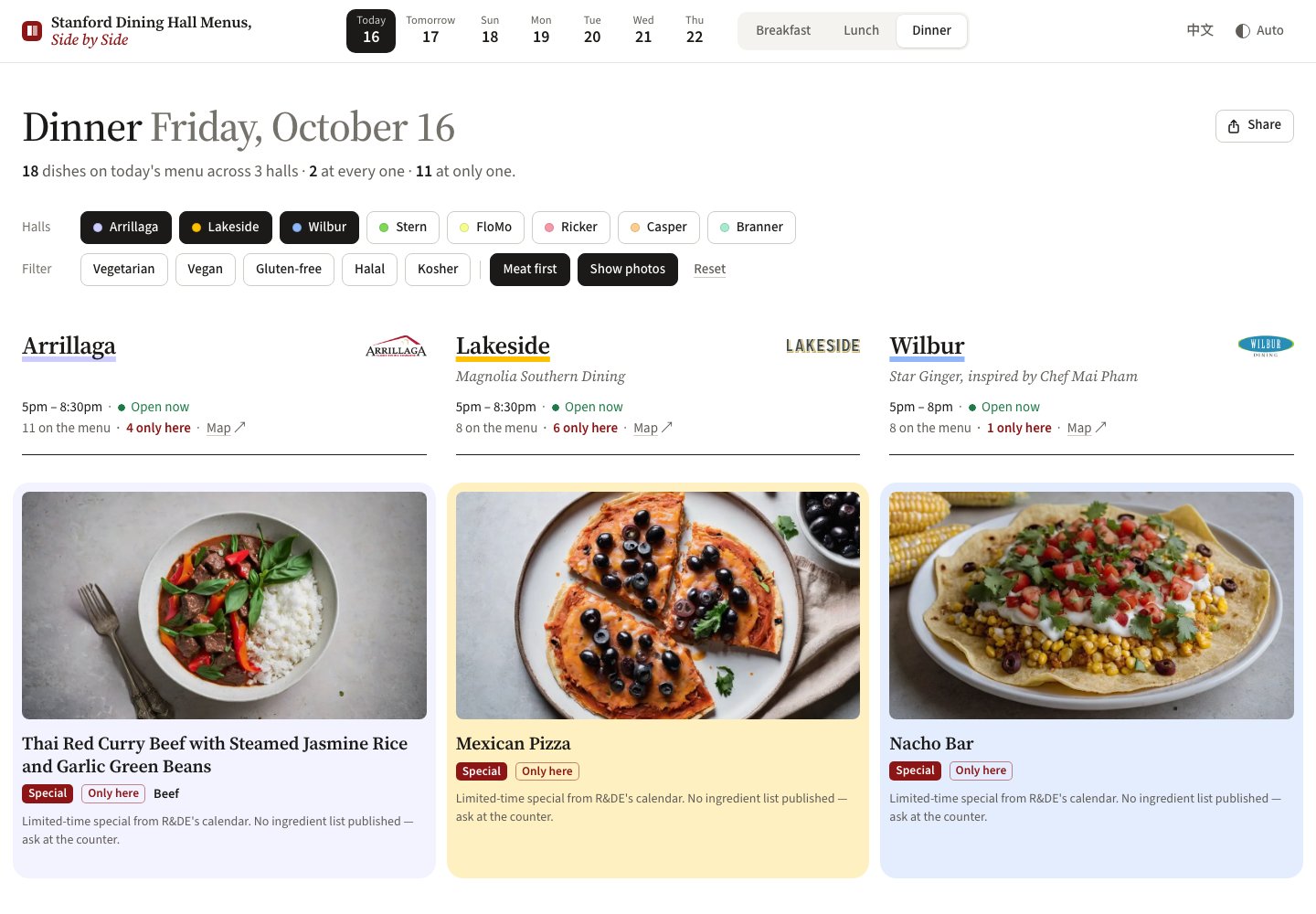 The final working site: three halls’ dinners side by side, each dish equipped with bilingual translations and AI illustrations generated on GitHub Actions.
Knowing that this little project has made checking dining menus a bit easier for everyone makes all the tinkering worthwhile.
The entire scraper codebase, image generation pipeline, and full GitHub Actions workflows are open source on GitHub: NeilMin/better-stanford-dining-menu. Feel free to check it out or star the repo!